Product·July 13, 2026·7 min read
Introducing Logistify AI Sales Order Agent v2

Daniel Emaasit
CEO, Logistify AI
TLDR
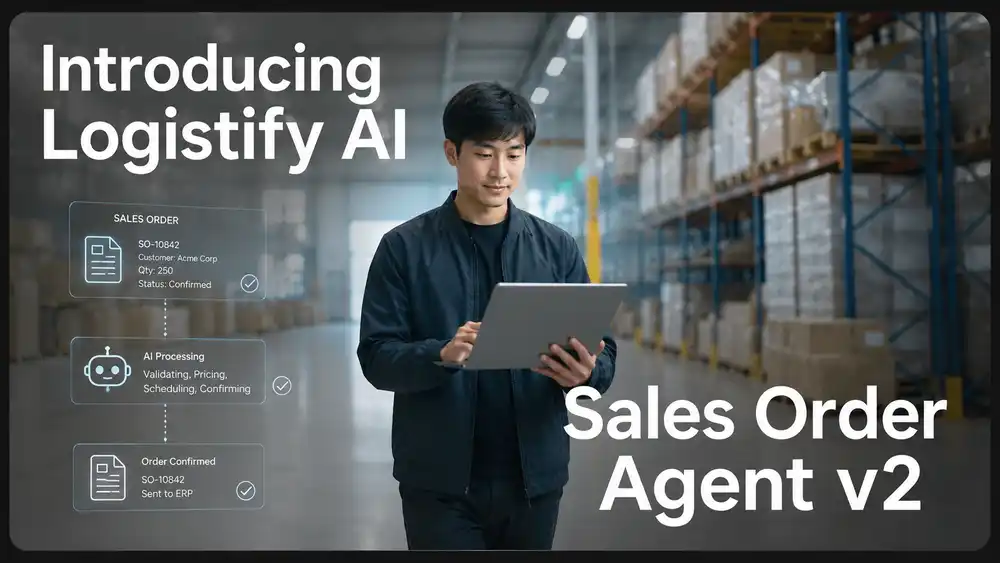
Logistify AI Sales Order Agent v2 processes inbound purchase orders from email, PDF, spreadsheet, WhatsApp, portal exports, and EDI exceptions. For each order it extracts the header and line items, matches the buyer account and product SKUs against your ERP records including customer-specific aliases, runs validation checks for duplicate purchase orders, pricing gaps, missing fields, and unusual quantities, then routes clean orders to ERP writeback and exceptions to a human reviewer with the failure reason and a recommended next action. v2 is designed for manufacturers and distributors who are processing B2B orders manually across multiple channels today.
What Sales Order Agent v2 Does
Most manufacturers and distributors receive purchase orders in at least three or four formats. A regular customer sends a PDF. A new buyer emails a plain-text list. A long-standing account uses a portal that exports a spreadsheet. A sales rep forwards a WhatsApp photo of a handwritten order from a trade show.
Each of these arrives in a different format, with different field names, different levels of completeness, and different conventions for product codes and quantities. The manual process for handling them is the same: someone reads each one, looks up the customer account, looks up the SKUs, checks pricing, and types the order into the ERP. See also: Logistify AI.
Sales Order Agent v2 handles that sequence. It captures the source, extracts a structured order, matches buyers and products against your ERP data, validates the order before writing it back, and routes anything it cannot confidently resolve to a human reviewer. That reviewer sees the original source, the extracted fields, the specific problem, and a suggested next action.
Step 1: Capturing Orders from Every Channel
The agent starts with the original source, not a normalised version of it. That distinction matters: the original source contains the sender, the timestamp, the attachment, the channel, and the evidence that an order was placed. Losing that in step one creates problems downstream when a buyer disputes what they ordered or when an exception needs to be investigated.
v2 captures orders from:
- Email: body text, subject line, attachments, sender address, and thread context
- PDFs: purchase order documents, delivery notes embedded in multi-page attachments
- Spreadsheets: customer-formatted order sheets with their own column headers and item codes
- WhatsApp: text messages and image attachments forwarded via the business API
- Portal exports: CSV or Excel files generated by buyer procurement systems
- Voicemail transcripts: orders called in and transcribed before processing
- EDI exceptions: transactions that failed validation in the EDI layer and need manual handling
For each source, the agent records what arrived, when, and from whom before doing anything else.
Step 2: Extracting the Structured Order
Extraction pulls the fields the ERP needs from the raw source. A buyer writing an email order rarely uses the same field names your ERP uses. They write a delivery address in the body of the email, not in a field labelled "ship-to." They specify a delivery window in plain language, not as a structured date.
For each order, the agent extracts:
- Order header: buyer name, their purchase order number or reference, order date
- Ship-to: delivery address, attention line, any special delivery instructions
- Requested delivery date or window
- Line items: product description, quantity, unit of measure, price (if stated), and any line-level notes
- Order-level notes: delivery notes, handling requirements, partial shipment instructions
Fields that are missing or ambiguous are flagged at this stage, not silently omitted. An order with a missing delivery address is caught here rather than failing at ERP writeback.
Step 3: Matching Buyers and Products
Further reading
The Coordination Tax: The $1.6 Trillion Cost of Running Supply Chain on Human Hands
The CEO's thesis on why every manual handoff in your supply chain is a hidden tax — and why AI Agents are the only way to eliminate it.
Read the memoThis is the step where manual order entry most often requires institutional knowledge that lives in someone's head. Which customer account does this email address belong to? Which of the three delivery addresses for this buyer should receive this order? What SKU is "those same ones we ordered in March"?
The agent resolves each of these against your ERP records:
- Buyer account: matched by email domain, company name, and known contact records in the ERP
- Delivery location: matched by address text against the ship-to locations on the customer account
- SKU: matched by product description, specification text, and customer-specific aliases built up from previous orders
- Unit of measure: resolved from the quantity language in the order ("boxes of 24", "cases", "eaches")
- Customer-specific pricing tier: pulled from the account record in the ERP
Unmatched products do not get added automatically. If the agent cannot match a line item to a SKU with sufficient confidence, that line goes to human review. The reviewer sees the description from the order and the top candidate matches from the product catalog. One click to confirm or correct.
Over time, confirmed matches build a per-customer alias map. A buyer who has ordered from you for two years and consistently uses their own item codes for your products will rarely trigger a manual SKU review, because the agent has recorded the confirmed mappings.
Step 4: Validation Before Writeback
The agent checks the order against a set of validation rules before it writes anything to the ERP. The intent is to catch problems that would create work if they reached the ERP: duplicate records to unwind, pricing corrections to issue, stock commitments to reverse.
Validation checks in v2:
- Duplicate purchase order: checks whether the buyer's purchase order number has already been entered for this account
- Pricing variance: compares the price stated in the order against the customer's price list in the ERP, flags discrepancies above a configurable threshold
- Missing required fields: delivery address, purchase order number, at least one confirmed line item
- Unusual quantity: flags quantities significantly above or below the buyer's normal order history for that product
- Low-confidence SKU match: any line item where the matching confidence is below the threshold
- Delivery note conflicts: instructions that contradict account settings (for example, a one-time ship-to address for an account with a fixed delivery location)
- Ship-to problems: address that cannot be matched to any location on the account
- ERP sync blockers: missing account ID, inactive customer status, or product codes not active in the ERP
Orders that pass all checks are queued for ERP writeback. Orders with a validation failure go to the human review queue with the specific failure reason attached.
Step 5: ERP Sync and Exception Handling
Once an order is reviewed and approved, it is pushed to QuickBooks or the connected ERP. The agent writes the sales order with all matched fields: customer account, ship-to, purchase order reference, line items with resolved SKUs, quantities, prices, and any delivery notes.
If the sync fails, the agent does not drop the order silently. It captures the failure response from the ERP, routes the order back to the review queue, and attaches the failure reason and a suggested next action. Common failures: the customer account was deactivated since the last order, the product code was deprecated, the ERP connection timed out. Each gets a specific message, not a generic error.
The design principle across all five steps is the same: the agent handles the volume, humans handle the judgment calls. Nothing that requires a decision gets written to the ERP without a human seeing it first.
The Sales Order Automation Playbook
We put together a 20-page playbook that documents the operational setup behind v2. It is written for operations managers and IT leads at manufacturers and distributors who want to understand the implementation before committing to a rollout.
The playbook covers:
- The 5-agent framework: how the capture, extraction, matching, validation, and sync agents work together
- The 4-day rollout plan: what you test on day one, what you expand on day four
- The exact prompts used for extraction and classification
- Human review rules: which conditions trigger review and what the reviewer sees
- ERP sync guardrails: the validation layer between the agent and the ERP
- What to test in the first 48 hours: the specific scenarios that surface the most exceptions early
To get the playbook, reach out through the contact form or book a demo and we will send it over.
See Sales Order Agent v2 in action
We walk through the full workflow — capture, extraction, matching, validation, and ERP sync — using a real order from your channel.
Frequently Asked Questions
Ready to automate your supply chain?
Join manufacturers and distributors automating their operations with Logistify AI.