Sales Order Agent·October 21, 2026·5 min read
AI Order Entry for a Frozen Food Supplier at 6,000 Orders a Month: Price, Setup Fee and Setup Time

Daniel Emaasit
CEO, Logistify AI
TLDR
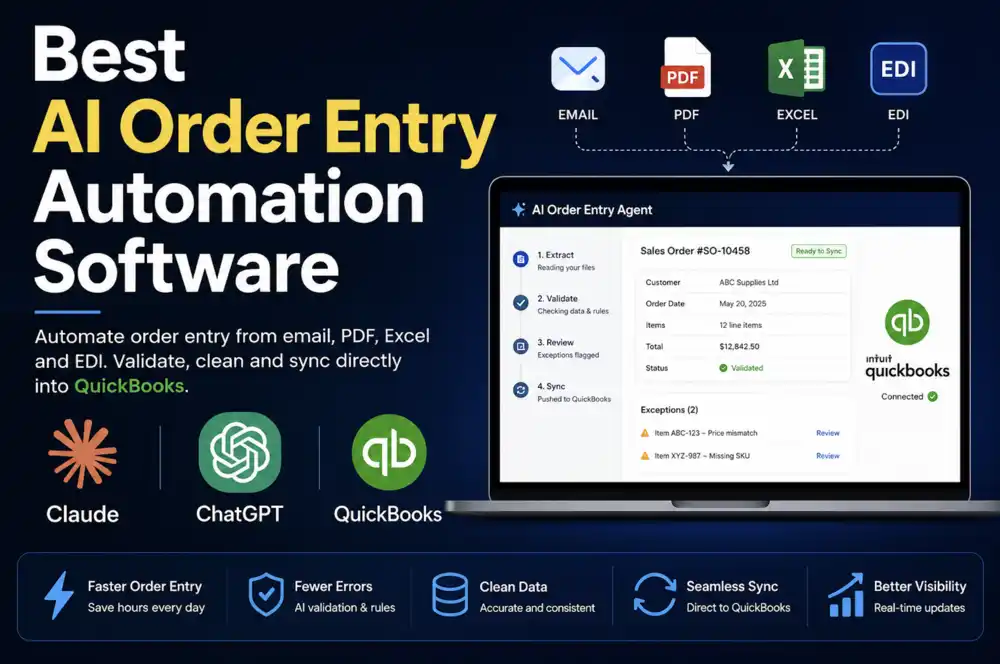
A US ERP consultant whose frozen food client keys more than 6,000 orders a month by hand asked what AI order entry costs. At that volume it's Logistify's Enterprise plan: a custom annual contract with unlimited completed tasks, since Business covers 1,500 a month. There's no setup fee. Enterprise onboarding, including custom integrations and security reviews, typically takes 1–3 days once access and sample orders are ready.
The question
An ERP consultant in the US who works with frozen food suppliers, sent us this through our contact form:
"I’m an ERP consultant based in the US, working with frozen food suppliers. One of my clients is currently processing 6000+ orders every month, and they’re looking to automate the order entry process to reduce the errors that happen during manual entry. What would be the pricing of the software? Is there a setup fee, and what would the ongoing cost be? Also, roughly how long does the setup take?"— An ERP consultant in the US who works with frozen food suppliers
Three questions: the price, a setup fee, and how long setup takes. Here are the answers, then where entry errors come from in frozen food orders and what catches them.
What does it cost at 6,000 orders a month?
Logistify's plans are sized by completed tasks a month, and for order entry one task is roughly one order entered. 6,000 orders a month is about 275 every working day on a five-day week: four times what Business covers and twelve times Core. So it's Enterprise.
| Plan | Completed tasks a month | Price | For 6,000 orders a month |
|---|---|---|---|
| Core | 500 (about 25 orders a day) | $499 a month billed annually, or $599 month to month | Covers about 1 order in 12 |
| Business | 1,500 (about 70 orders a day) | $999 a month billed annually, or $1,199 month to month | Covers about 1 order in 4 |
| Enterprise | Unlimited | Custom contract, annual billing | Fits |
Enterprise has no list price. It's a custom annual contract, scoped around the workflow, the systems the orders go into and the channels they arrive by. It includes unlimited completed tasks, all channels (email, WhatsApp, EDI, SMS and more), a dedicated account manager, and custom workflows.
Is there a setup fee?
No. There's no setup fee, and onboarding is included, with a personal onboarding manager.
What's the ongoing cost?
The annual Enterprise contract. Logistify is a managed service, not software your client licenses and runs: AI agents do the routine entry and Logistify's specialists review the exceptions, and plans are priced by completed work rather than by hours. One busy month doesn't change a plan.
To weigh it, set it against what manual entry costs now. A full-time US order clerk costs roughly $67,000 a year with benefits, by Bureau of Labor Statistics figures, before counting the cost of the errors.
Further reading
The Coordination Tax: The $1.6 Trillion Cost of Running Supply Chain on Human Hands
The CEO's thesis on why every manual handoff in your supply chain is a hidden tax — and why AI Agents are the only way to eliminate it.
Read the memoHow long does setup take?
Many standard workflows can begin within hours once access and sample orders are available. Enterprise onboarding, including custom integrations and security reviews, typically takes 1–3 days. The steps:
- 1A scoping call: where the orders come from (email, PDF, EDI, phone), which ERP they go into, and what a finished order looks like.
- 2A week of real sample orders, including the messy ones.
- 3Access to the inbox or channel the orders arrive in, and to the ERP. Access is scoped to the workflow.
- 4Onboarding: product matching is set up from the item list and each customer's past orders. Typically 1–3 days for Enterprise.
- 5Live: clean orders go into the ERP automatically, and orders with an open question wait for review with the reason.
For the consultant, the useful preparation for the scoping call:
- The monthly order count by channel: how many of the 6,000 arrive by EDI, email, PDF, phone or a customer portal.
- The ERP, and how orders get into it today.
- The item list, with customers' own item numbers and UPCs if buyers order by them.
- Which items are sold by catch weight (ordered by the case, invoiced by actual weight), so the call covers how orders for them are entered.
Where the errors come from, and what catches them
| Error | How it happens | What catches it |
|---|---|---|
| Wrong item or pack size | Frozen lines often differ only by case size or count, and buyers use their own item numbers | Every line is matched to the item list and to that customer's past orders. A line that doesn't match is held with the reason |
| Wrong quantity | A typo turns 10 cases into 100 | An unusual quantity is held for review |
| Wrong price | The price on the purchase order isn't the agreed price | A price that doesn't add up is held for review |
| Duplicate order | The buyer sends the same purchase order again | An emailed order with the same customer and purchase order number as an earlier one doesn't create a second order, and the existing order is named |
| Missing details | No ship-to, delivery date or purchase order number | Specialists check missing information before an order is approved |
Clean orders go in without anyone retyping them, so the team's time goes to the orders that need a decision.
Where EDI fits
Frozen food suppliers that sell to grocery chains and foodservice distributors often receive part of their volume by EDI. Logistify reads EDI orders, as well as email messages, PDF, Word, Excel and CSV attachments, WhatsApp, SMS and voicemail. If some EDI orders already flow into the ERP through an existing EDI setup, count the orders people still key in by hand: that's where the errors come from, and the number to scope.
Which ERPs?
The message doesn't name the client's ERP. Logistify works with QuickBooks Online, QuickBooks Desktop, TallyPrime, Unleashed, BREWW, SYSPRO, SAP, Microsoft Dynamics, Xero, Shopify, Amazon, Walmart and other business systems, using the connection method that fits: APIs, email, file imports, or supported desktop bridges. For how the ERPs common among US manufacturers and distributors compare, see our ERP comparison guide.
What Logistify doesn't do
- It doesn't read faxed orders.
- If the client runs QuickBooks Desktop: on sales orders it doesn't set price levels, inventory sites, or lot or serial numbers, so lot assignment stays with the warehouse at fulfilment.
How to start
- 1Send the monthly order count by channel, the ERP, and a week of real orders.
- 2On the scoping call, agree the workflow and systems; Logistify then quotes the Enterprise contract.
- 3The published pilot is 30 days, one workflow and up to 150 completed tasks for $1,000, credited toward an annual Core or Business contract. At 6,000 orders a month that's less than a day of orders, so for a client this size, agree on the scoping call how a trial would run and be credited.
- 4Onboarding, typically 1–3 days for Enterprise, then live.
Frequently Asked Questions
Scoping order entry for a client?
Send us the monthly order count by channel, the ERP, and a week of real orders. We'll show which orders Logistify would enter, which it would hold for review, and quote the plan that fits.